
The simplest recommendation
If your phone supports eSIM, an eSIM is often the easiest option: buy before you travel, activate when you land, and skip the shop run on day one.
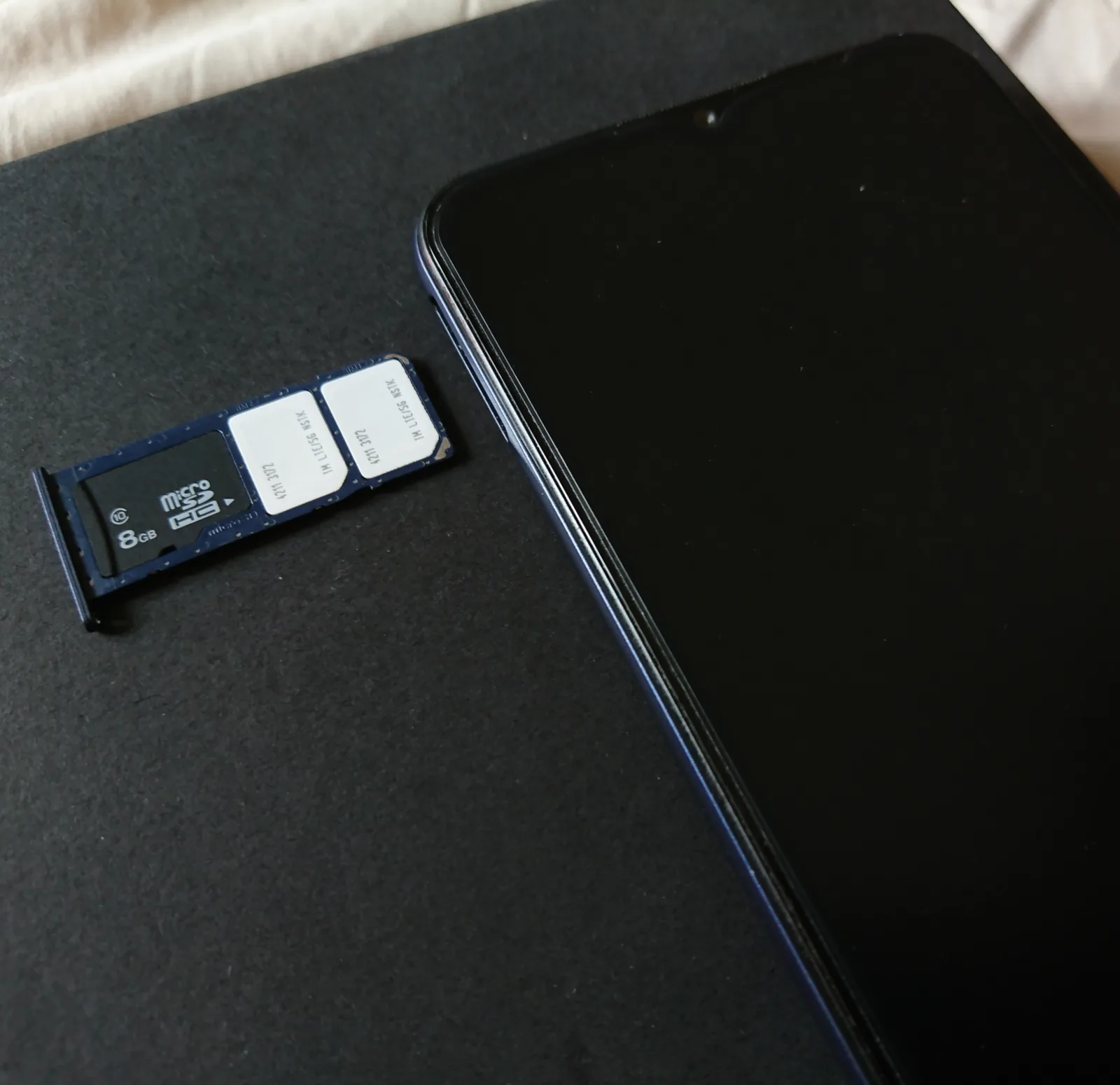
If you prefer a physical SIM (or your phone doesn’t support eSIM), a prepaid SIM in Zagreb is straightforward — just plan a quick stop early in the trip.
eSIM vs physical SIM (quick comparison)
- eSIM: fastest setup, no shops, best for short trips.
- Physical SIM: easy to buy locally, good if you want local support or a specific plan.
Local providers (Croatia)
Croatia’s main mobile providers include Hrvatski Telekom (HT), A1, and Telemach. Plans and tourist offers change, so treat this as orientation and confirm current options when buying.
What to do before you buy
- Check your phone is unlocked.
- Know whether you need calls/SMS or data-only.
- Decide if you want the ‘simple’ route (one big data pack) or the ‘light’ route (smaller pack + Wi‑Fi).

Where to get a SIM in Zagreb
- Provider shops in central areas (best if you want help).
- Phone shops and kiosks (quick if you know what you want).
- Airports can be convenient but sometimes cost more or have limited options.
Wi‑Fi and ‘good enough’ travel connectivity
- Zagreb cafés are a good fallback for Wi‑Fi if you’re doing a slow coffee sit.
- If you’re mostly walking and sightseeing, you rarely need huge data — maps and messaging are the main uses.
SIM cards and eSIMs: the decision before you leave
Choose connectivity from the phone’s compatibility, current roaming entitlement, trip length and expected data use. Travellers whose existing plan includes Croatia may need nothing new; others can compare a local physical SIM with a travel eSIM before arrival.
Confirm that the phone is unlocked, eSIM-capable where relevant and backed up. Save the activation instructions offline and understand when the plan starts. Keep the home SIM details secure, especially when banking or account logins still send verification messages to that number.
How to handle sim cards and esims on the ground
Activate on trusted Wi-Fi when possible, label the lines clearly and choose which handles data, calls and messages. Disable unintended roaming on the expensive line without cutting off essential verification. Test maps and messaging before leaving the hotel or airport connection.

Edge cases, current checks and the calm fallback
Coverage, tethering, fair-use rules, validity and top-up methods differ by provider and plan. Dual-SIM behaviour can also surprise users when the phone silently switches data lines. Read the live terms and monitor usage rather than assuming every ‘unlimited’ label means the same thing.
If activation fails, keep the QR code private and contact the provider through an official channel while connected to secure Wi-Fi. Download an offline map and save the hotel address so a delayed setup does not prevent arrival. Avoid buying duplicate plans before the first provider responds.
Choose by roaming status, not by marketing label
Start with the SIM already in the phone. HAKOM explains that EU and EEA roaming generally follows roam-like-at-home rules, subject to the traveller’s tariff and fair-use conditions. That protection does not automatically cover a SIM issued outside the EU/EEA, a maritime or satellite network, or every long-stay usage pattern. Check the operator’s Croatia terms and remaining allowance before buying a second plan. A working home plan is usually simpler than managing a new number for a short Zagreb visit.
If a local SIM or travel eSIM is still useful, compare usable data, validity, hotspot rules, activation timing and support—not the headline gigabytes alone. Confirm that the phone is unlocked and that its exact model supports the required eSIM or Croatian mobile bands. Install an eSIM on dependable Wi-Fi before it becomes the only connection, save the QR code or activation details securely, and label the lines clearly so calls, data and roaming do not switch to the expensive profile by accident.
- Keep the home line available for bank codes if needed, but disable its data roaming when it is not the data line.
- Download the hotel address, tickets and an offline map before changing profiles.
- Use airport or station Wi-Fi only as a bridge; do not conduct sensitive account recovery on an unknown network.
Questions people actually ask
Is eSIM worth it for Zagreb?
If your phone supports it, yes — it’s usually the easiest way to be connected immediately without shopping.
Do I need a local SIM for a short weekend?
Not necessarily if roaming is affordable, but having reliable data makes transfers and walking routes much easier.
Which provider is best?
For a short city trip, any major provider is fine. Choose based on convenience and a simple prepaid data plan.